
Cameras Mounted Where They Actually Cover Entry Points
Security Camera Installation & Setup in La Marque for properties with older exterior construction and limited wiring access
Single-family homes in League City and Kemah often have exterior walls, eaves, and older wiring runs where camera placement and cable routing must be planned around existing construction rather than ideal sight lines, and many properties lack attic access or exterior conduit that makes running new cable straightforward. Chavez Home Services installs and configures security cameras throughout La Marque, with the owner mounting the cameras, running the wiring or connecting them wirelessly, and setting up the app on your phone so the system is functional and accessible before the visit ends. The owner handles every installation personally, and camera units are priced separately and passed through at cost so you see what the equipment runs before it is purchased.
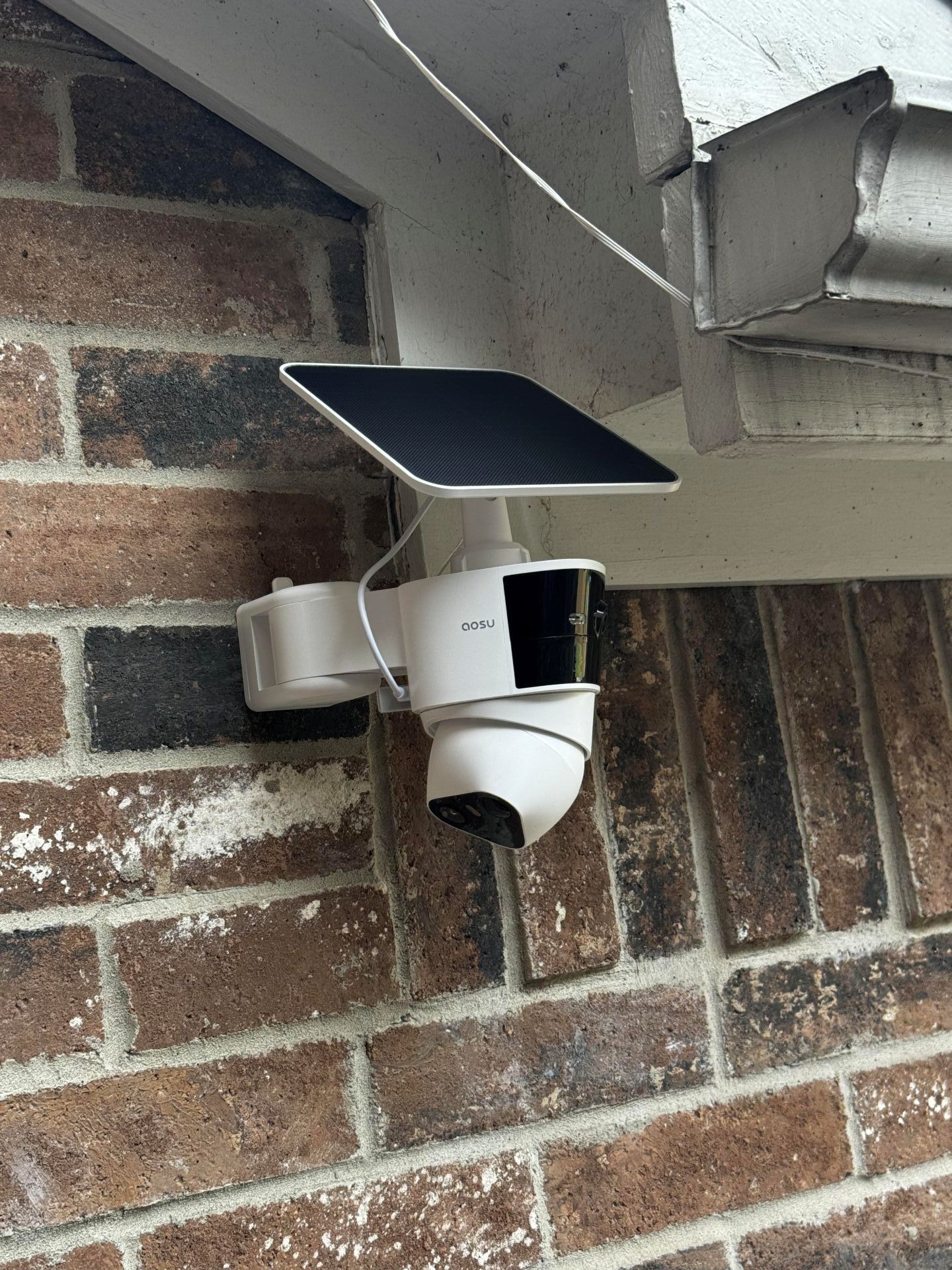
Installation starts with walking the property to select camera positions and mounting spots, evaluating which entry points need coverage and where power and signal connections can be routed without cutting into finished walls or running exposed cable across siding. Once positions are confirmed, each camera is mounted securely to the wall or soffit, and power and signal are routed through the attic, along eaves, or connected wirelessly depending on the camera type and the property layout.
Request a property walkthrough to identify coverage needs, confirm mounting locations, and review camera options before installation is scheduled.
What Changes After Camera Installation and App Setup Complete
The installation process includes mounting each camera to the selected surface with weatherproof hardware, routing power and data cables through attic spaces or along exterior trim where they remain protected from weather and foot traffic, and connecting the cameras to the recording device or cloud service. Setup involves linking the cameras to the app on your phone, adjusting the angle and field of view for each camera, configuring motion detection zones to reduce false alerts, and confirming that live view and playback function correctly from your device.
Once installation and setup are finished, you will see live video from each camera on your phone, receive motion alerts when activity is detected in the defined zones, and access recorded footage from any time the system has been active. Cameras will remain mounted securely without sagging or shifting, cables will be routed neatly and protected from damage, and the app will connect reliably without requiring repeated login or troubleshooting.
Installation covers camera mounting, wiring or wireless connection, and app configuration, but it does not include network upgrades, router relocation, or structural modifications if those are needed to provide adequate signal strength or cable access. Those needs are identified during the property walkthrough and handled separately if required.
Answers About How the Work Is Done
Homeowners installing security cameras often have questions about placement, wiring, and how the system will function once the installation is complete.
How are camera positions selected during the property walkthrough?
The installer evaluates which doors, windows, and driveways need coverage, identifies mounting surfaces that provide the correct angle without obstructions from eaves or landscaping, and confirms that each position has access to power and signal without requiring major wiring modifications.
What is the difference between wired and wireless camera installations on older homes?
Wired cameras require routing cable from each camera location to the recording device, which may involve running cable through attic spaces or along exterior trim, while wireless cameras connect to the home network over Wi-Fi and only need a power source at the mounting location.
How are motion detection zones configured to reduce false alerts from passing cars or tree movement?
The app allows you to draw zones within the camera's field of view where motion will trigger alerts, and areas outside those zones—such as streets, sidewalks, or swaying branches—are ignored by the detection algorithm so you only receive alerts for activity in priority areas.
What happens during the app setup process before the installer leaves?
The installer links each camera to your phone using the manufacturer's app, adjusts the angle and zoom for each view, sets up motion zones, and walks you through accessing live view, reviewing recorded footage, and adjusting alert settings so the system is fully operational.
How is cable routed on properties where attic access is limited or eaves are finished?
Cable is routed along exterior trim or soffit edges using clips or conduit, then brought into the home through a small drilled penetration that is sealed with weatherproof caulk, or cameras are positioned where wireless connectivity is strong enough to eliminate the need for data cable entirely.
Chavez Home Services also installs and
configures security cameras in League City, Dickinson, Hitchcock, Santa Fe, and Galveston. Arrange a site evaluation to confirm camera placement options and review the installation approach for your specific property layout.